This blog compares the top 6 Jira timesheet plugins, focusing on features like automation, real-time reporting, and customization. Worklog Timesheet & Time Tracking stands out for its seamless Jira integration, powerful reporting, and full automation. It’s the ideal choice for teams looking to streamline time tracking. Try it today with a 30-day free trial!
Jira's built-in time tracking gets you the basics, but ask it for a clean report, a billing-ready export, or a quick view of who's overloaded, and it falls flat. That's the gap a good Jira timesheet app fills.
In this guide, we’ve rounded up the top 6 Jira timesheet plugins to help you find the perfect fit for your workflow. We’ll be taking a deep dive into industry leaders, including a spotlight on Worklog Time Tracking & Timesheet by RVS Softek—the go-to choice for teams who want power without the complexity.
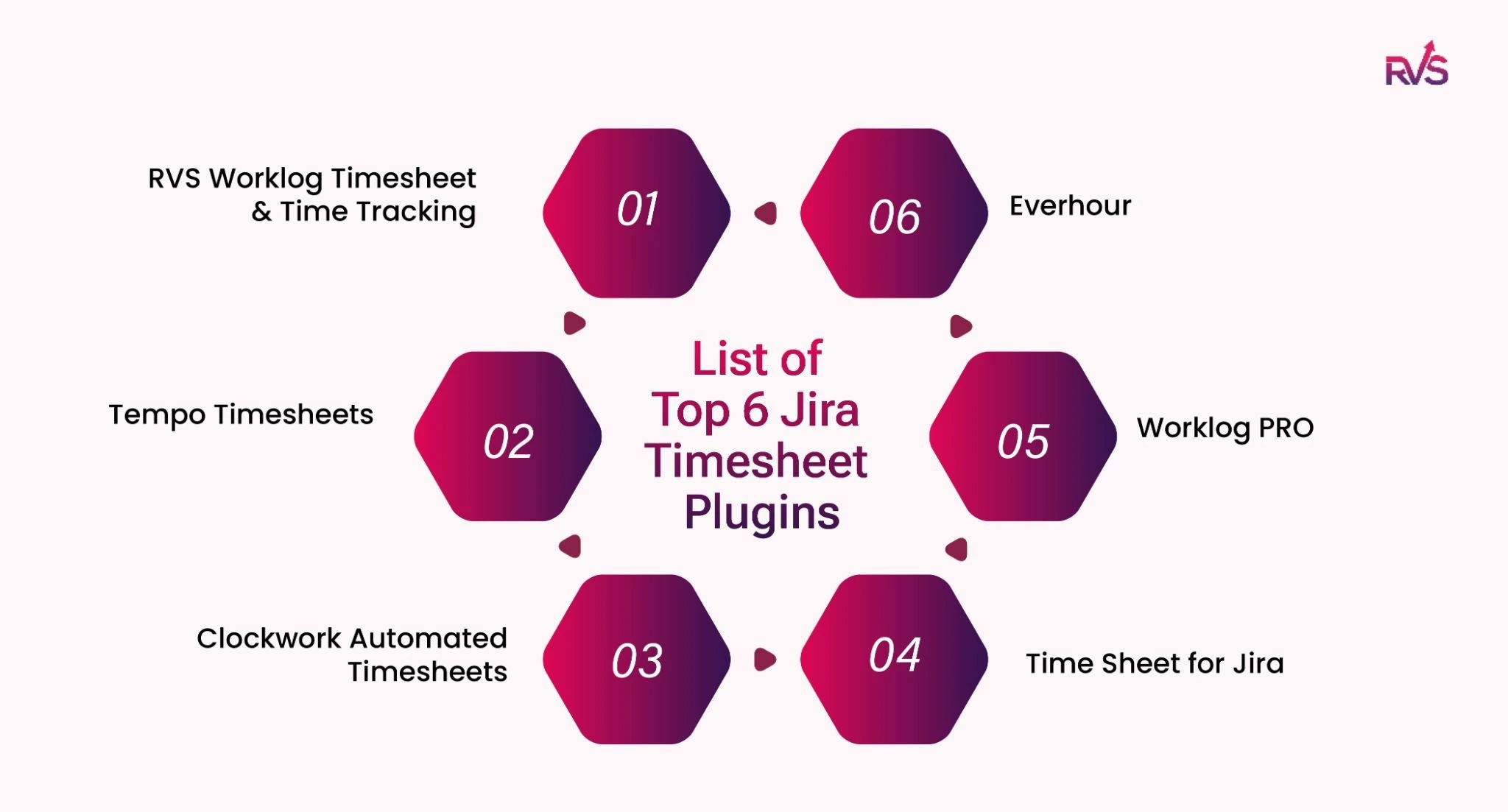
6 Powerful Jira Timesheet Plugins to Boost Team Productivity
1. Worklog Time Tracking & Timesheet By RVS Softek
Most Jira timesheet plugins are designed to capture hours. Jira timesheet app by RVS Softek goes a step further by structuring those hours into decision-ready data across delivery, finance, and leadership workflows.
It doesn’t just tell you how much time was logged, it shows you where effort is going, how it compares to estimates, and how work is distributed across teams and sprints. The result is a single, consistent view of time that supports planning accuracy, accountability, billing clarity, and real-time delivery tracking inside Jira.
Key Features:
Timesheet View: A unified screen showing every team member’s logged hours across all active issues within a selected date range, with grouping options by assignee or issue for quick analysis.
Advanced Worklog Reports: Highly filterable reports by sprint, assignee, project, issue type, and date range, with easy CSV export for billing, audits, and stakeholder reporting.
Estimated vs. Actual Comparison: Direct side-by-side visibility of original estimates versus actual logged hours at the issue level, helping teams improve sprint planning accuracy.
Team-Level Time Summary: Aggregated view of total logged hours per team member over a selected period, making workload distribution and effort patterns instantly visible.
Time Spent Dashboard Gadget: A real-time Jira dashboard widget that displays hours logged vs. estimated, giving stakeholders continuous visibility into project progress.
Worklog Attributes (Advanced License): Custom fields (text, dropdown, checkbox) attached to individual worklogs at the time of entry, fully filterable across Timesheet View and Reports for deeper contextual tracking.
Why the Jira Timesheet Plugin by RVS Softek Stands Out:
RVS Worklog makes time tracking hassle-free with its plug-and-play functionality, eliminating the need for complex setup and offering flexible, visual reporting that turns raw project data into actionable insights. The dashboard gadgets and export to CSV features make it an essential tool for efficient team management and time analysis.
Additional Benefits:
Data-Driven Time Intelligence: Go beyond logging hours with structured visibility into where effort is concentrated across sprints, teams, and issue types.
Improved Delivery Predictability: Use estimated vs actual comparisons to refine sprint planning and continuously improve estimation accuracy.
Financial-Ready Reporting: Enable clean billing and cost tracking with filterable, export-ready worklog reports aligned to customers, projects, and time periods.
Workload Transparency: Instantly identify how work is distributed across team members to prevent overload and improve resource planning.
Real-Time Execution Visibility: Dashboard gadgets provide always-on insight into time vs estimates, helping stakeholders track progress without manual reporting cycles.
Context-Rich Performance Analysis: Worklog attributes allow teams to tag effort by type of work, making performance and contribution analysis more meaningful and less subjective.
Pricing Details
Standard — $35/month (USD 0.35/user avg.) Jira time tracking, reporting, CSV export, and dashboard gadget. Free trial available.
Advanced — $50/month (USD 0.50/user avg.) Everything in Standard + Worklog Attributes for contextual time tracking. Free trial available.
2. Tempo Timesheets
Tempo Timesheets is a powerful Jira plugin known for its advanced time tracking and billable hours management. It’s a great tool for teams that need detailed reporting capabilities and are focused on client billing.
Key Features:
Billable hours tracking for accurate invoicing.
Customizable reporting for in-depth analysis of time spent.
Seamless integration with other Tempo products.
Pricing Details:
Starts at $521/month for 100 users.
Pricing increases based on the number of users and the tier selected.
Free trial available (typically 30 days).
3. Clockwork Automated Timesheets by Herocoders
Clockwork is a Jira timesheet app that automates time tracking by capturing worklogs directly from issue activity. It reduces manual time entry while ensuring accurate, real-time timesheets across projects.
Key Features:
Automatic time tracking based on issue activity, updates, and workflow transitions
AI-assisted / smart time logging with automatic start–stop style tracking for active work sessions
Real-time timesheet updates across tasks and projects
Customizable reports for analyzing time spent across teams and issues
Lightweight, automated tracking with minimal manual intervention
Pricing Detail:
Starts at $130/month for 100 users.
Pricing increases based on the number of users and the tier selected.
Free trial available (typically 30 days).
4. Time Sheet for Jira by Appfire
This simple yet effective plugin is great for small teams that need an uncomplicated solution for logging time and generating basic reports.
Key Features:
Easy time logging with minimal setup.
Basic reporting for tracking time across issues.
Simple interface for quick adoption.
Pricing Detail:
Starts at $302/month for 100 users.
Pricing increases based on the number of users and the tier selected.
Free trial available (typically 30 days).
5. WorklogPRO
WorklogPRO offers detailed worklog tracking features and seamless integration with Jira. It’s designed for teams that require advanced reporting and custom worklog management.
Key Features:
Advanced worklog management across multiple projects.
Customizable reports for detailed time tracking analysis.
Time tracking for multiple users to manage team performance.
Pricing Detail:
Starts at $190/month for 100 users.
Pricing increases based on the number of users and the tier selected.
Free trial available (typically 30 days).
6. Everhour
Everhour is known for its intuitive interface and integration with Jira. It's particularly useful for teams that need time tracking alongside invoicing and budgeting.
Key Features:
Integrated time tracking with billing and invoicing.
Real-time updates and easy-to-understand reports.
Project management tools integrated with Jira.
Pricing Details:
Free App
Top 6 Jira Timesheet Plugins Comparison
Here’s a detailed comparison of the top 6 Jira timesheet plugins based on 4 core features that are essential for effective time tracking and reporting:
Plugin
Time Tracking Automation
Real-Time Reporting
Jira Integration
Customization Options
RVS Worklog Timesheet & Time Tracking
Full Automation: Automatically tracks time based on issue activities (e.g., status changes, time logs).
Advanced & Customizable: Offers real-time reports with customizable filters for specific projects, sprints, assignees, etc.
Seamless: Deep integration with Jira, enabling easy tracking and reporting without switching between apps.
High Flexibility: Fully customizable views, filters, and dashboards to match team preferences and workflows.
Tempo Timesheets
Partial Automation: Time can be logged automatically, but requires manual entry for certain actions.
Advanced: Generates comprehensive real-time reports based on user-defined criteria like project, sprint, etc.
Seamless: Excellent integration with Jira, providing smooth synchronization for time logs and reporting.
Moderate: Customizable report templates, but not as flexible as some other options.
Clockwork Automated Timesheets
Full Automation: Tracks time automatically based on user activity in Jira (issue updates, comments, etc.).
Basic to Moderate: Provides real-time timesheets, but customization options are limited.
Moderate: Integrates with Jira, but may not be as deep as other plugins like RVS Worklog or Tempo.
Limited Customization: Focuses on basic time tracking without extensive customization for reporting or views.
Time Sheet for Jira
Manual: Primarily a manual time logging tool, though can be automated to some extent.
Basic Reporting: Generates simple reports based on logged time, but lacks real-time customization and detail.
Limited: Basic integration with Jira, but lacks seamless syncing with project tasks and sprints.
Low Customization: Basic customization of time entries, no advanced reporting options available.
WorklogPRO
Full Automation: Logs time based on issue activities and integrates automatically with Jira workflows.
Advanced: Generates highly detailed reports, including time spent by assignee, project, and issue type.
Seamless: Offers excellent integration with Jira, including syncing of worklogs with project tasks.
High Customization: Offers multiple filtering options and customizable dashboards for deeper analysis.
Everhour
Partial Automation: Automatically logs time for tasks when linked with Jira, but may require user input for certain actions.
Advanced: Provides real-time, actionable reports based on task, project, and user data.
Seamless: Integration with Jira is excellent, offering synchronization between tasks and time logs.
Moderate: Customizable reporting options and dashboards, but not as flexible as RVS Worklog for deep reporting needs.
Conclusion
Choosing the right Jira timesheet plugin is critical for ensuring accurate time tracking and improved project management. Based on our analysis, RVS Worklog Timesheet & Time Tracking by RVS Softek stands out as the best option for most teams. It offers powerful features like real-time reporting, customizable worklog time reports for Jira, and an intuitive, user-friendly interface.
Whether you are looking for an accurate Jira report worklog per user analysis, team performance insights, or just an easy way to manage time logs, RVS Worklog offers everything you need to optimize time tracking without the complexity of other solutions.
Ready to take control of your project timelines and enhance your Jira experience?
What's the difference between a manual and an automated timesheet in Jira plugins?
A manual timesheet for Jira requires users to enter time for each task, often leading to missed entries and inconsistent data. An automated Jira timesheet app like Clockwork or RVS timesheet for jira tracks time based on issue activity, providing real-time updates, estimated vs. actual comparisons, and reducing manual effort while improving accuracy.
Can a Jira timesheet plugin handle billable hours and invoicing?
Yes. The advanced timesheet in Jira apps allows tagging of hours as billable/non-billable and associating them with customers or projects. With exportable reports, these Jira timesheet apps generate invoice-ready data directly from worklogs, streamlining client billing and reducing spreadsheet cleanup.
Which Jira timesheet plugin works best for multi-project teams?
For multi-project environments, RVS Timesheet for Jira and Tempo Timesheets Excel, offering cross-project reporting, aggregated team summaries, and dashboard gadgets. These Jira timesheet apps let managers filter by project, sprint, or assignee, giving a clear picture of effort allocation across multiple initiatives.
What are the best Jira time tracking tools?
The most effective Jira time tracking experience is delivered by RVS Worklog Timesheet & Time Tracking, which combines full automation, real-time dashboards, and advanced reporting inside Jira. It removes manual tracking effort and gives teams a single view of time spent, estimates, workload distribution, and sprint performance, making it a complete solution for modern Jira teams.
What is the most affordable alternative to Tempo Timesheets for Jira?
A more cost-efficient and scalable option compared to traditional enterprise tools is RVS Worklog Timesheet & Time Tracking. It starts at a significantly lower price point while still offering automation, real-time reporting, and estimated vs actual tracking, helping teams maintain enterprise-level visibility without high licensing costs.
What's a good low-cost Jira worklog app for small teams?
For small teams looking for simplicity and affordability, RVS Worklog Timesheet & Time Tracking provides an easy entry point with essential time tracking, reporting, and dashboard visibility. As teams grow, it scales naturally with advanced filters, worklog attributes, and deeper analytics without switching tools.
What's the best budget-friendly Jira time tracking plugin for startups?
Startups benefit most from RVS Worklog Timesheet & Time Tracking because it combines low-cost pricing with powerful automation and reporting. It helps early-stage teams move away from manual spreadsheets and gain instant visibility into effort, delivery speed, and team productivity inside Jira.
How can I automatically generate Jira timesheet reports for clients?
With RVS Worklog Timesheet & Time Tracking, client-ready timesheet reports can be generated automatically using real-time dashboards, advanced filters, and export-ready formats. Teams can quickly segment data by project, user, or time period and deliver accurate, structured reports without manual compilation.
Recent Blogs
July 23, 2026
Jira Time in Status Report: Complete Guide for Project Managers







.webp)





